Checkout domains
Add a checkout hostname and verify its CNAME record.
Updated July 17, 2026On this page
Before you start
- Control of the domain's DNS records
- A hostname reserved for checkout traffic, such as checkout.example.com
Domains are checkout hostnames. They are independent resources until selected by a checkout and do not belong to a Shopify store.
Add and verify a domain
Create the checkout hostname
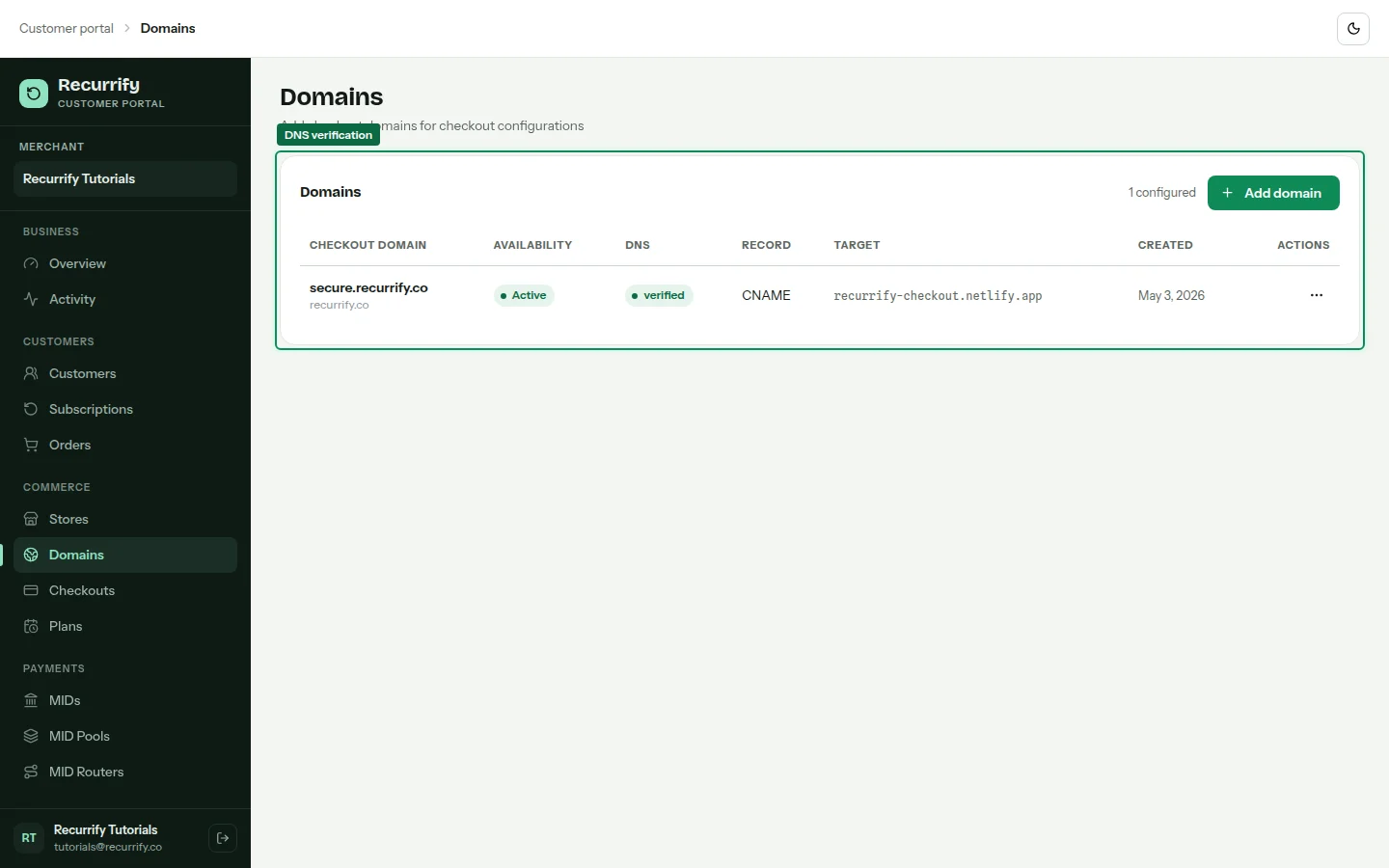
Open Domains, choose Add domain, and enter the base domain and checkout subdomain. Recurrify shows the complete hostname and required CNAME target before saving.
Publish the CNAME record
At the DNS provider, create a CNAME for the displayed host label and point it to the exact Recurrify target. Remove conflicting A, AAAA, or CNAME records on the same host.
Verify DNS
Return to Recurrify and choose Verify DNS. Verification uses the authenticated merchant request and reports Pending, Verified, or Failed with a reason.
DNS reference
| Field | Example | Notes |
|---|---|---|
| Record type | CNAME | Use the exact type shown in Recurrify |
| Host | checkout | Some providers expect only the label |
| Value | Recurrify CNAME target | Do not add https:// or a path |
| TTL | 600 seconds | A lower TTL can make initial changes visible sooner |