Pre- and post-purchase offers
Build bumps, cross-sells, upgrades, bundles, and subscription offers.
Updated July 17, 2026On this page
- An existing checkout
- A connected Shopify store for product offers
- An existing Recurrify plan for subscription offers
Offers are checkout-specific. Define the commercial intent, placement, and presentation separately so one offer model supports pre-purchase and post-purchase experiences without design names such as “London.”
Add an offer
Choose the purchase stage
Open a checkout and select Offers, then choose Pre-purchase or Post-purchase. Post-purchase offers use their own eligible placements after the original payment.
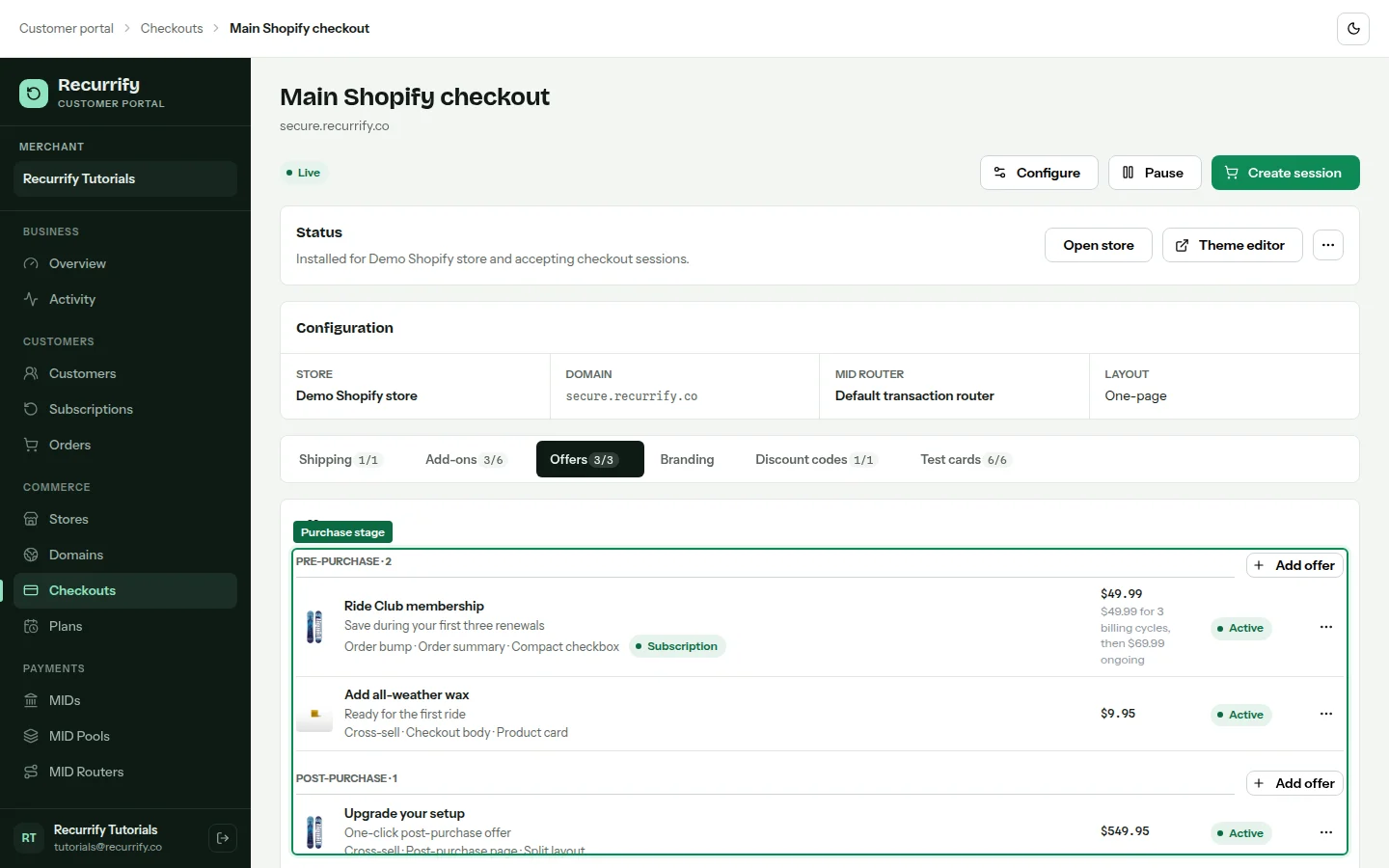
Choose the offer type
Use Order bump for a simple add-on, Cross-sell for a complementary item, Upsell or upgrade to replace a source item with a higher-value item, or Bundle for multiple products. Select a Recurrify plan to make a supported pre-purchase offer a subscription.
Set placement and presentation
Select where the offer appears and how it renders. Pre-purchase placements include Order summary, Checkout body, and Pre-checkout popup. Presentations include Compact checkbox, Product card, Inline list, and Banner. Post-purchase options include dedicated page and thank-you placements with full-page, split, or inline presentation.
Review the live preview
The add-offer modal previews the selected product, copy, price, placement, colors, and presentation using the current checkout branding. Verify that the offer remains legible before saving.
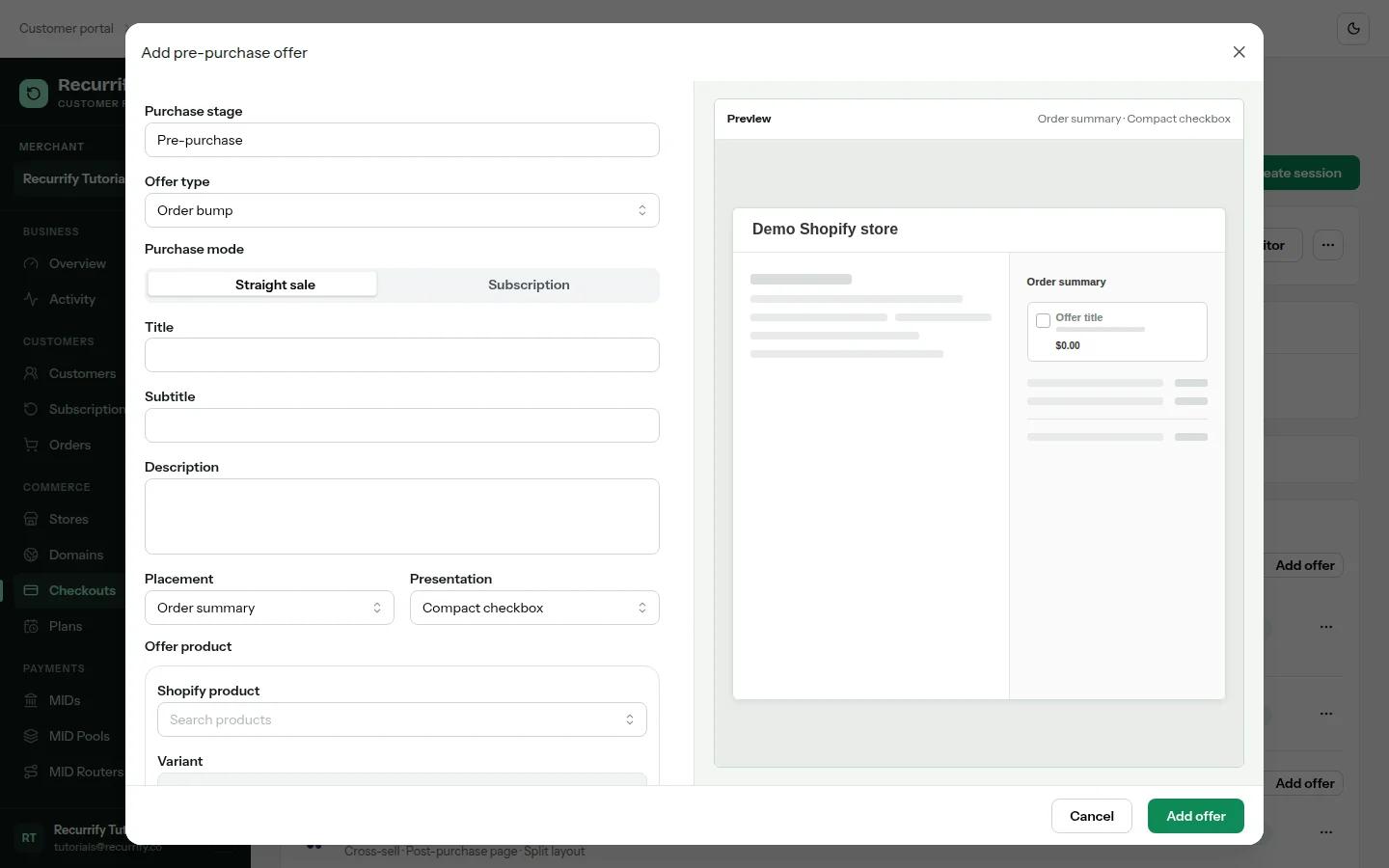
Offer configuration
| Dimension | Values |
|---|---|
| Type | Order bump, cross-sell, upsell or upgrade, bundle |
| Pre-purchase placement | Order summary, checkout body, pre-checkout popup |
| Pre-purchase presentation | Compact checkbox, product card, inline list, banner |
| Post-purchase placement | Post-purchase page, thank-you page |
| Subscription source | A Recurrify subscription plan, independent of Shopify products |