Discount codes
Create fixed or percentage discounts for one checkout.
Updated July 17, 2026On this page
Before you start
- An existing checkout
- A unique code for that checkout
Discount codes belong to one checkout. A code can reduce the merchandise subtotal by a percentage or fixed amount and never produces a negative total.
Create a discount code
Add the code
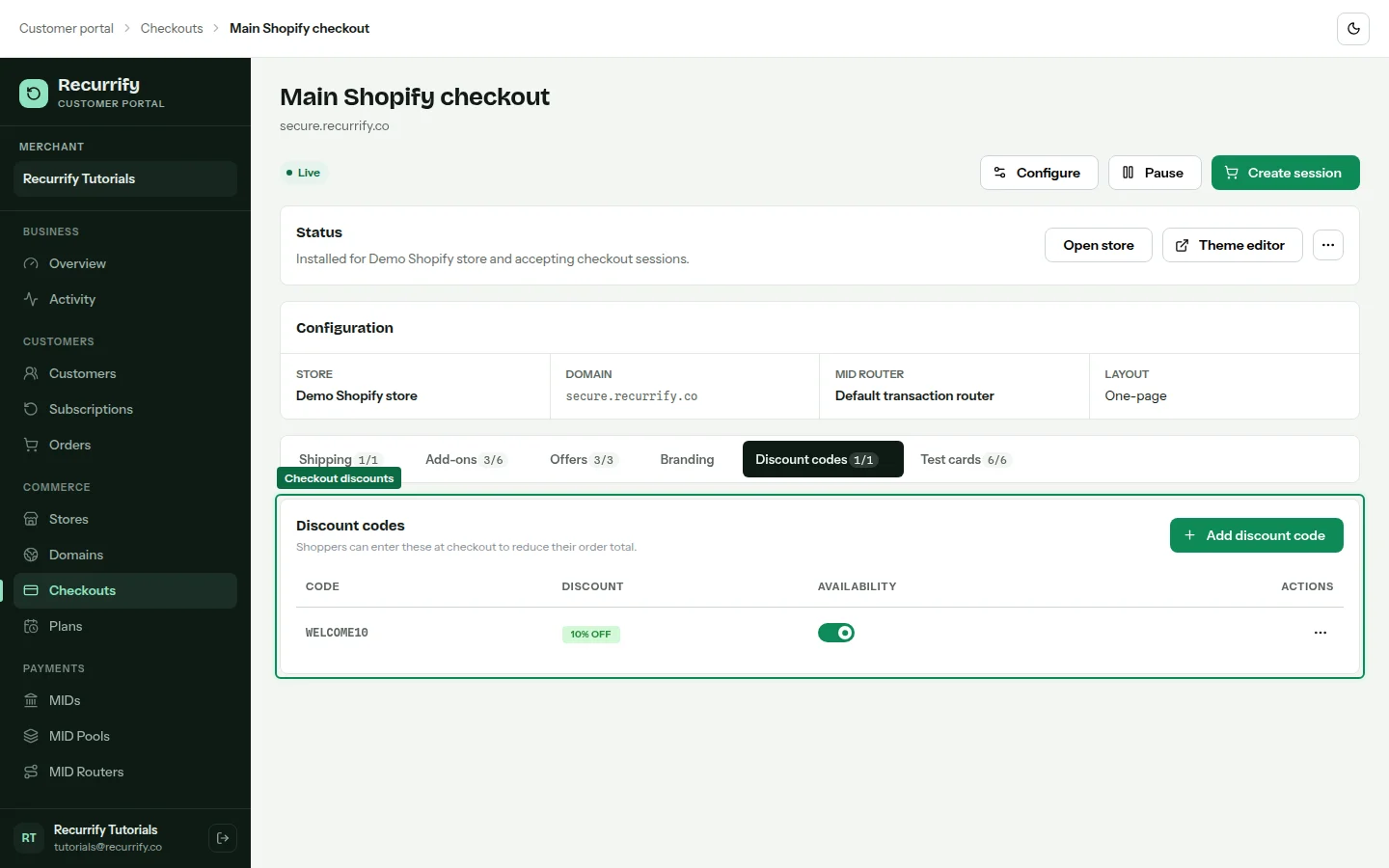
Open the checkout and select Discount codes, then choose Add discount code. Codes are normalized to uppercase and must be unique within the checkout.
Choose the discount type
Select Percentage and enter a whole percentage, or select Fixed amount and enter a currency amount. Save to enable the new code.
Pause or remove a code
Disable a code to preserve it without accepting it in new sessions. Delete it when it should no longer be retained.
Discount behavior
| Type | Value | Maximum reduction |
|---|---|---|
| Percentage | Percent of eligible subtotal | Eligible subtotal |
| Fixed amount | Currency amount | Eligible subtotal |