Test cards
Enable checkout-specific Dry Run outcomes for every payment scenario.
Updated July 17, 2026On this page
Before you start
- A checkout routed through Dry Run
- An enabled test scenario
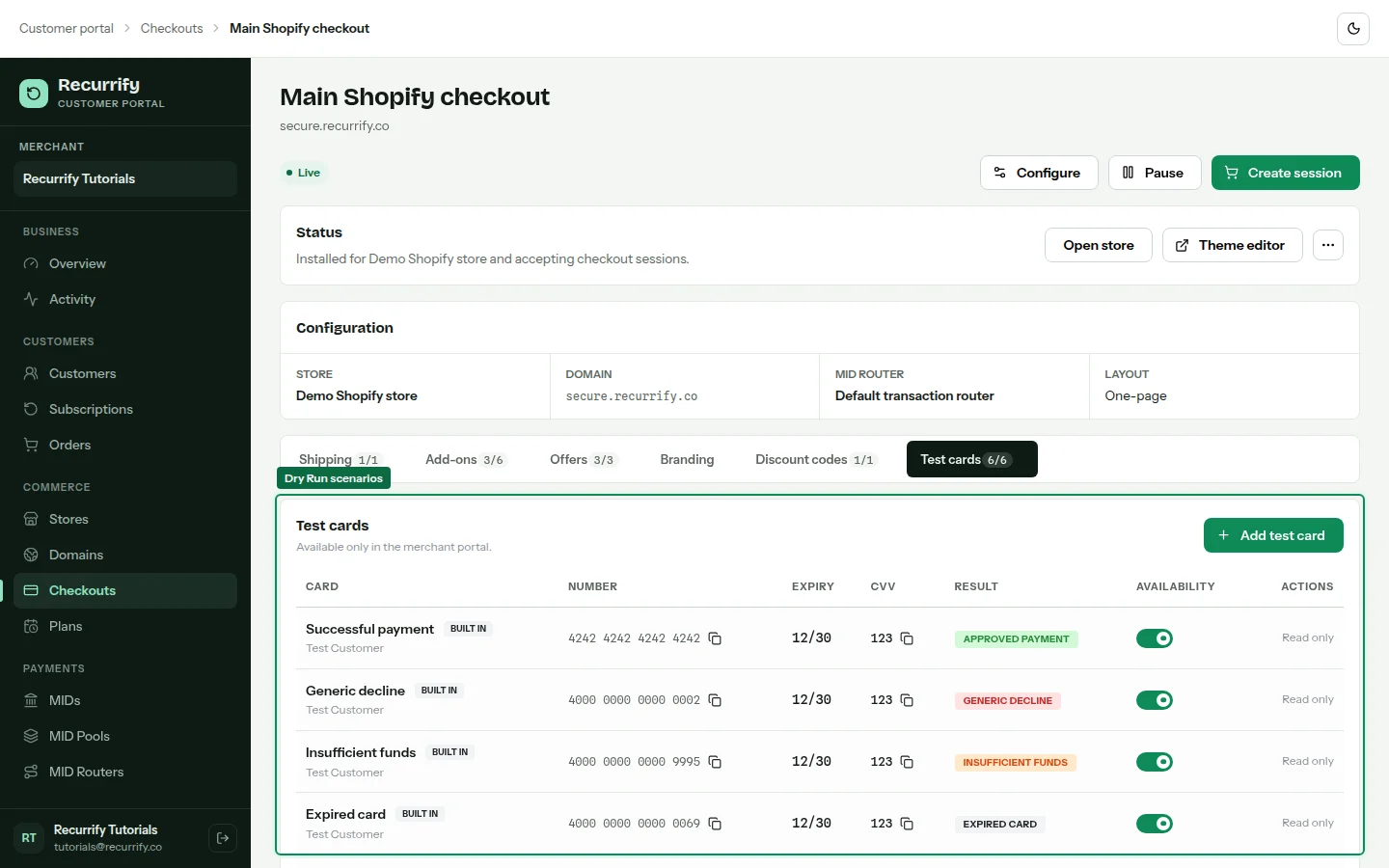
Each new checkout receives six built-in test cards. They are non-removable, can be enabled or disabled per checkout, and make Dry Run return a predictable payment outcome.
Run payment scenarios
Open Test cards
Open a checkout and select Test cards. The approved, decline, insufficient funds, expired card, incorrect CVC, and processing-error scenarios are listed with their numbers and enabled states.
Enable the scenario
Enable the card you intend to use. Disabled built-in cards remain visible in the portal but Dry Run rejects them as disabled.
Copy the test details
Use the copy action for the card number. Enter the displayed cardholder, expiry, and CVC in a test checkout session.
Built-in outcomes
| Scenario | Expected result |
|---|---|
| Successful payment | Approved order |
| Generic decline | Failed payment with card-declined reason |
| Insufficient funds | Failed payment with funds reason |
| Expired card | Failed payment with expiry reason |
| Incorrect CVC | Failed payment with security-code reason |
| Processing error | Failed payment with processor-error reason |
Use only with Dry Run